On-device model
Apple’s Foundation Models run on your iPhone to understand your question and call the right tools. The model is small, so Tulio is built for short, tool-driven exchanges. Your chats are saved on the phone.
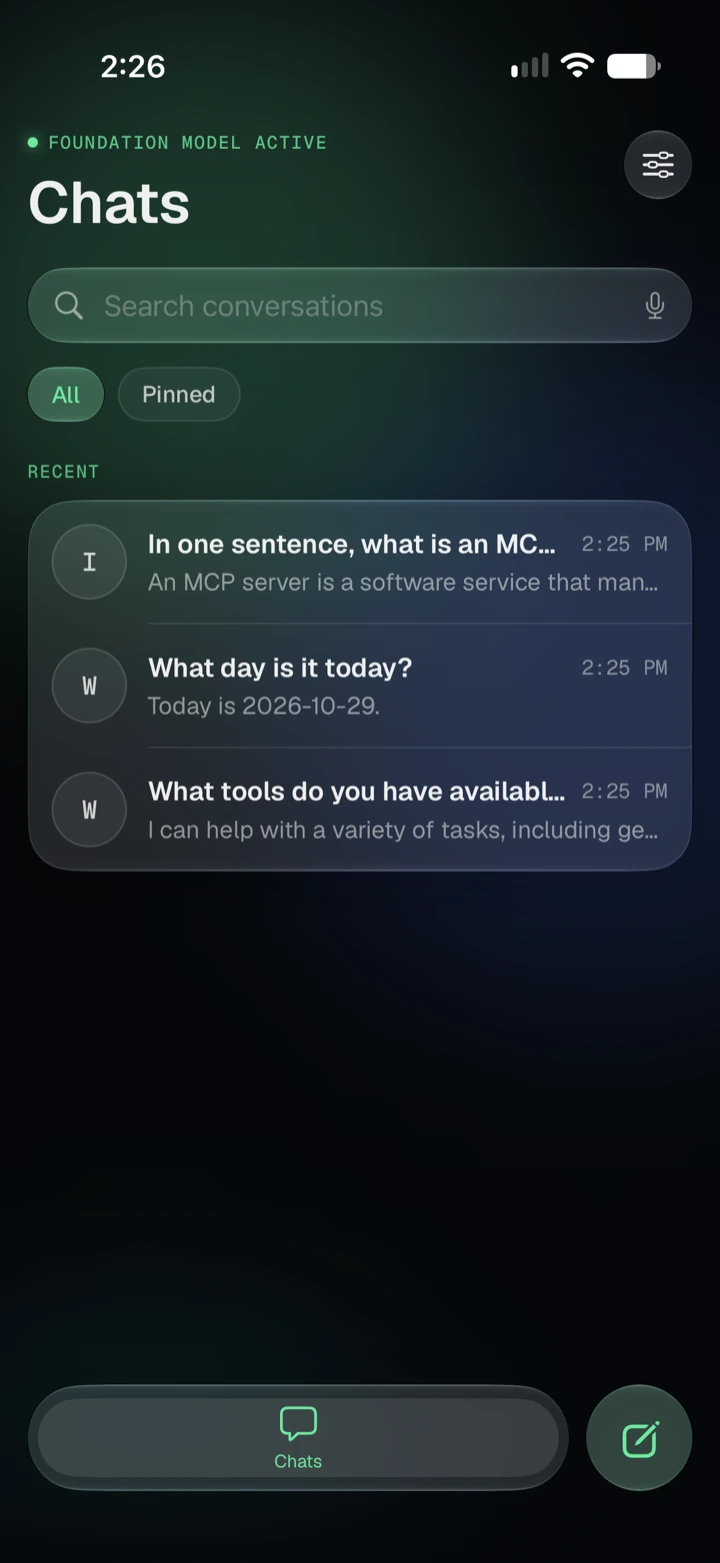
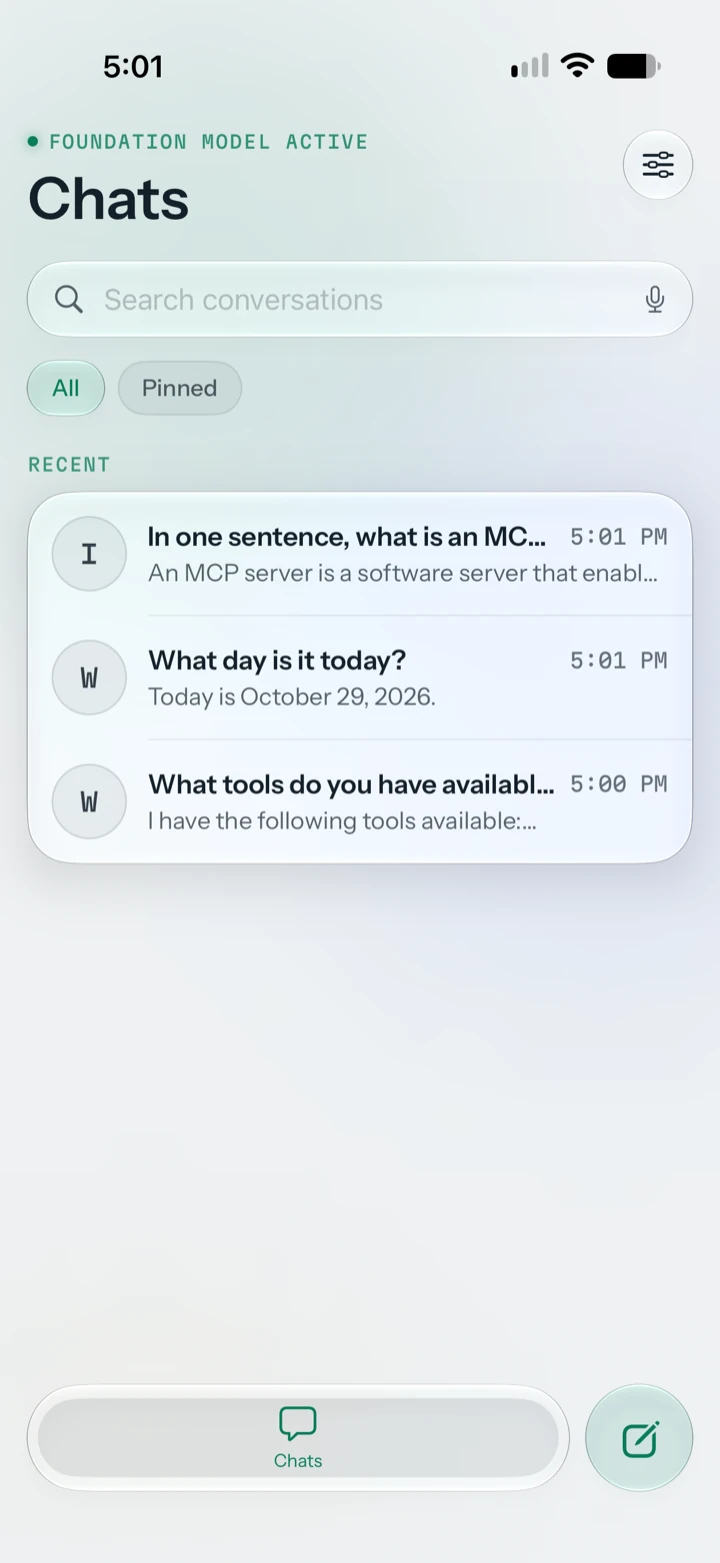

Tulio runs MCP tools from your iPhone so you can ask questions of your data in plain language. A small on-device model handles the conversation and the tools do the work, which suits short exchanges more than long chats.
We believe MCP is the next revolution in data, and we want to contribute to it. Tulio is free in its full version. Our business is building MCP tools.
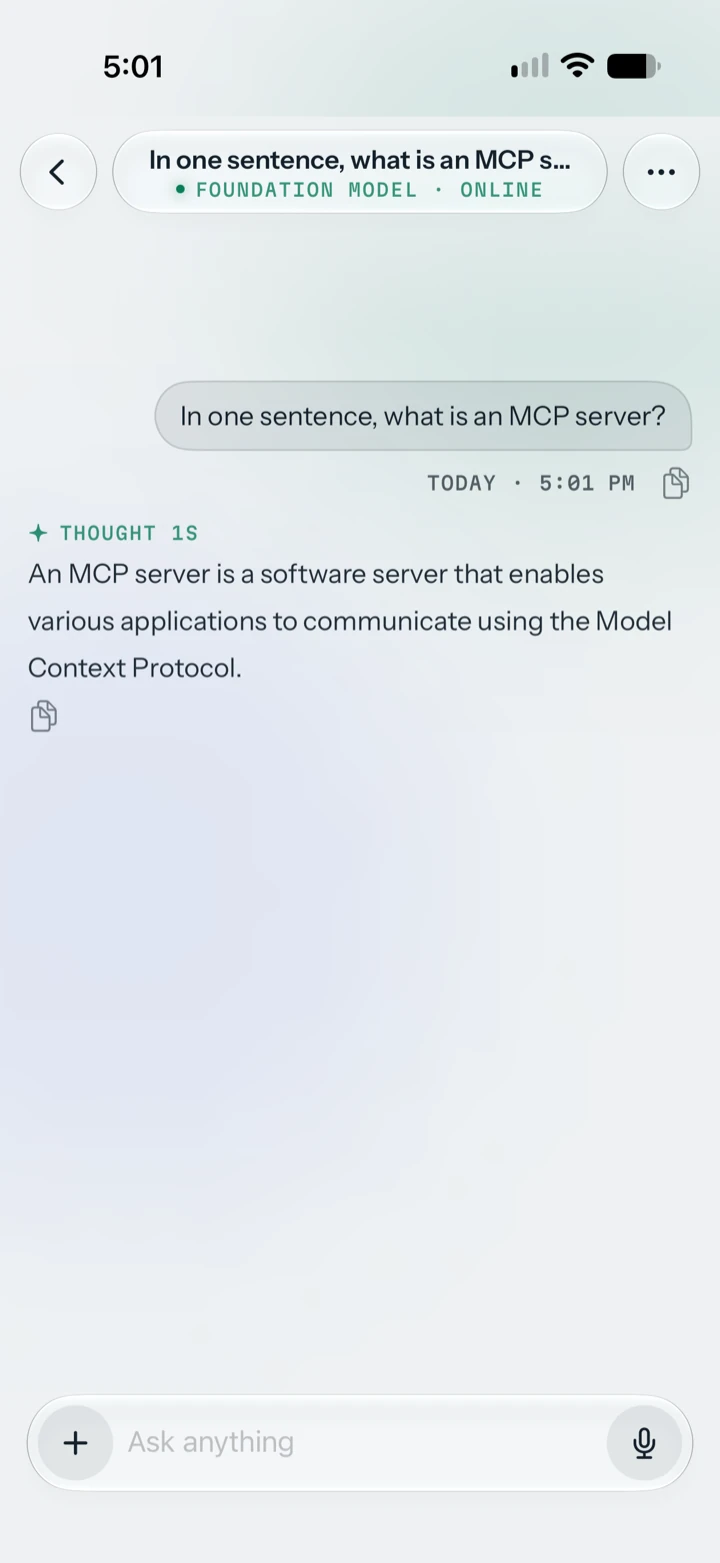
Connect an MCP server from the catalog or by URL, choose its tools, and ask in plain language. Tulio calls the tools and shows the result in the chat.
Replies come from Apple’s Foundation Models running on your iPhone. The model is small, so the tools carry the work. There is no model picker and no account.
MCP Apps is a new extension of the MCP protocol: a server can attach a small web app to a tool, and Tulio opens it inside the conversation (a form, a chart, a 3D scene) and expands it to full screen.
What Tulio does today and how it works.
Apple’s Foundation Models run on your iPhone to understand your question and call the right tools. The model is small, so Tulio is built for short, tool-driven exchanges. Your chats are saved on the phone.
Read replies as they are generated, copy or regenerate them, and see when the model is working.
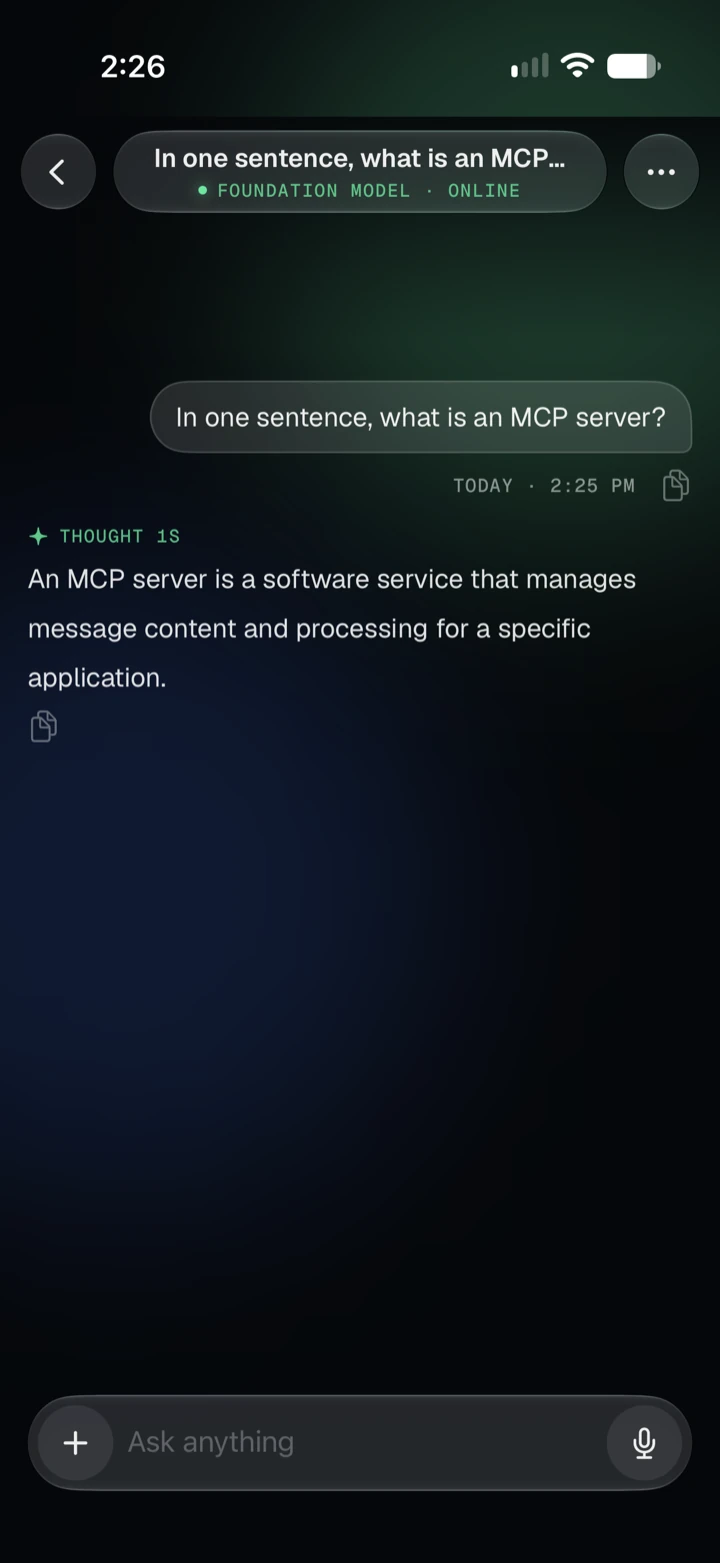
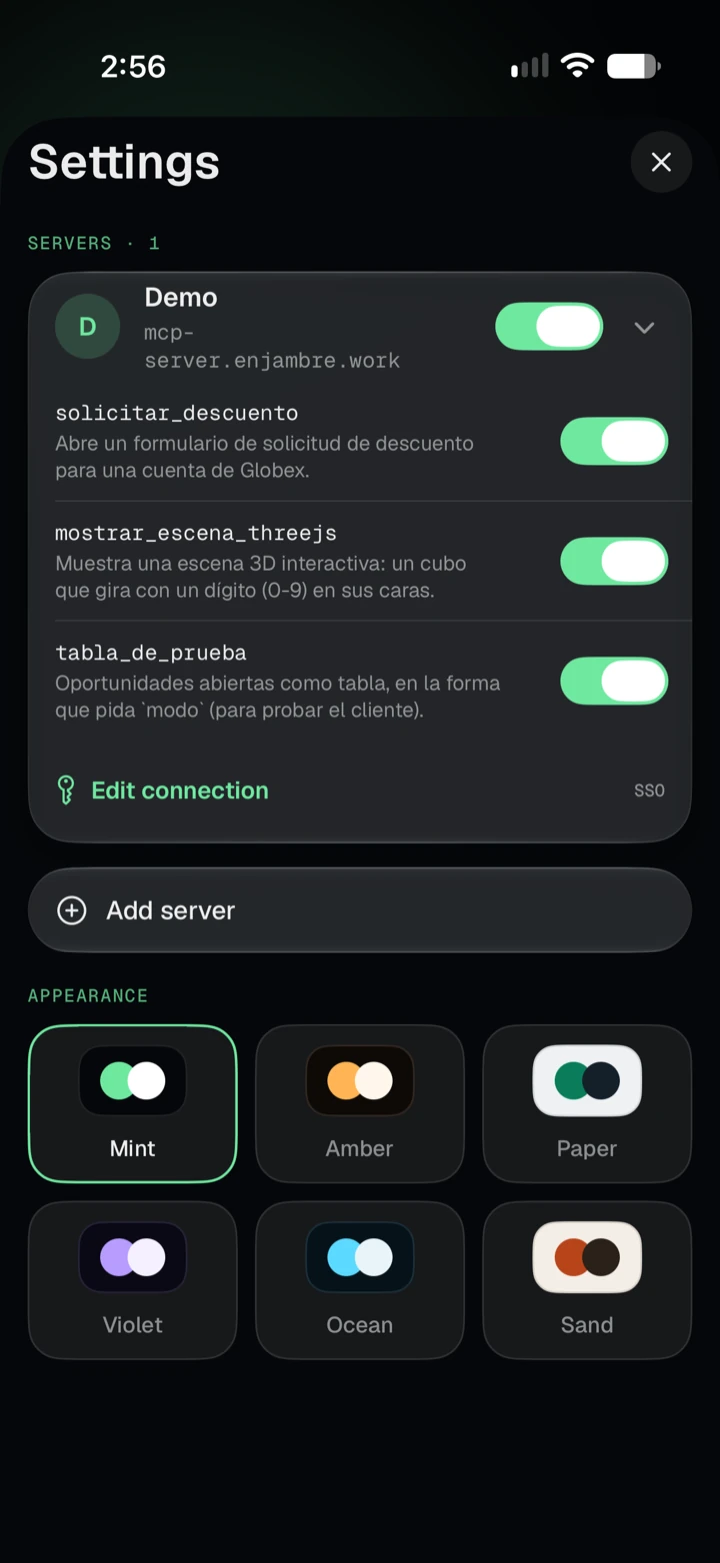
Add servers from a catalog or paste a URL. Pick which tools to enable and edit the connection later.
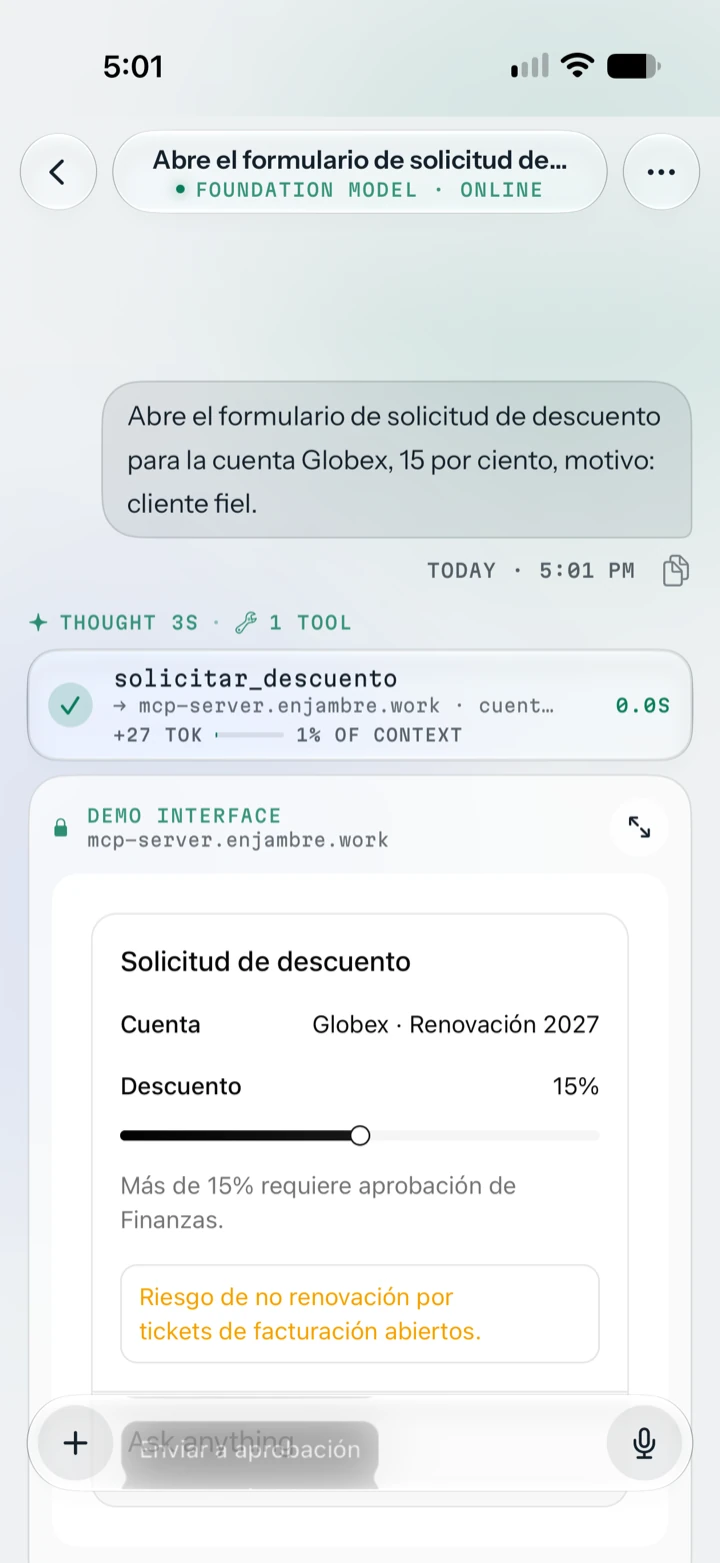
What if what you need is not a single question, but a whole process: filling in a request, checking figures, sending it for approval? That is what web apps are for, and MCP Apps, a new extension of the MCP protocol, lets a tool bring its own web app right into the chat.
When the model calls such a tool, Tulio opens the app in the conversation: a form, a chart, a 3D scene. The steps of the flow live in the app, which talks to your server by itself, for example to send the form for approval, so the conversation does not have to carry every step. And you can simply say it: dictate your request and the app opens with the parameters already filled in. It follows the theme you chose, runs apart from the rest of the app, and you can expand it to full screen. Tools that come without an app keep answering with text.
It is ideal for company and private data. Tulio only talks to the servers you set up and sends your information nowhere else. The model runs on your iPhone, and an app can only reach the domains your server declares. Working with your own data has never been this simple.
And there is more to come: the app will also be able to write in the chat and tell the model what is on screen.
See what is next on the roadmap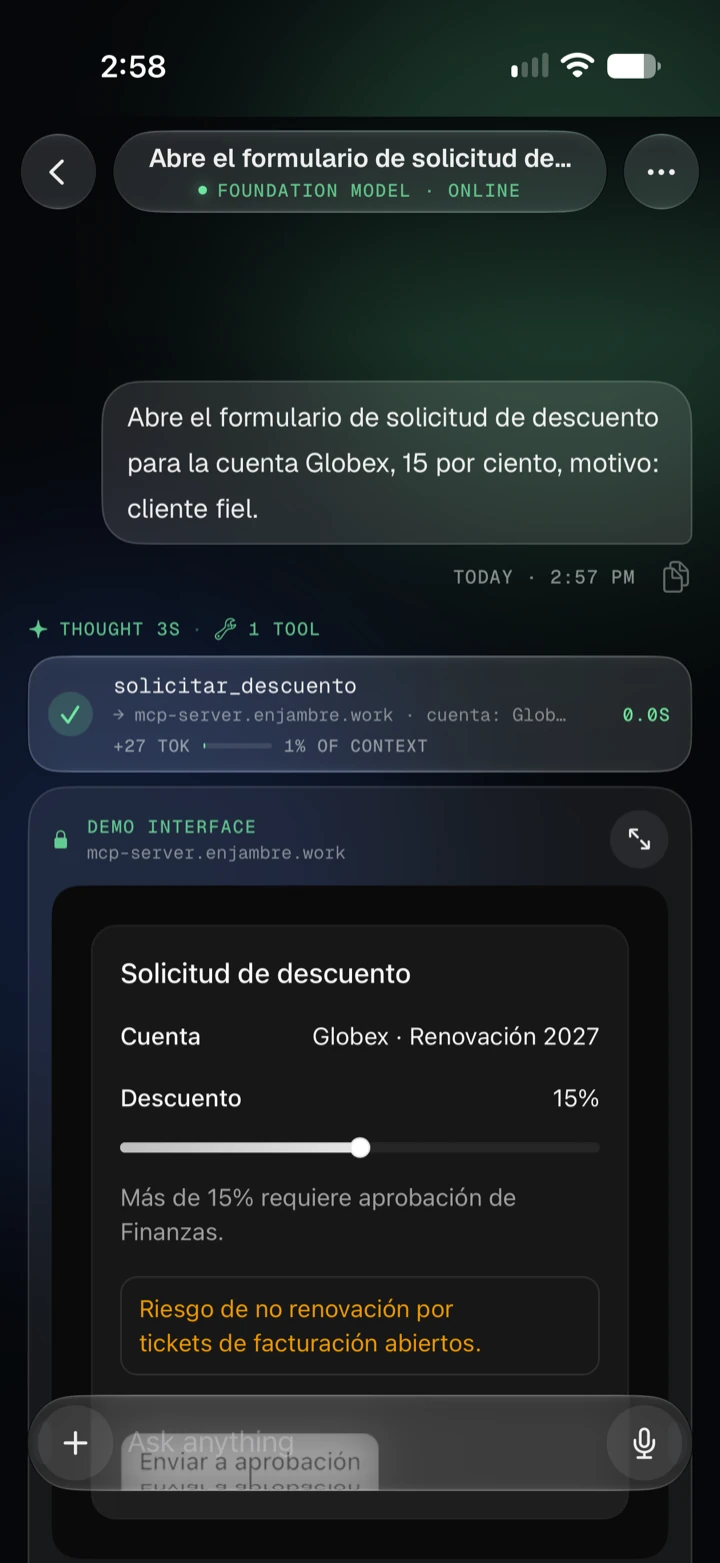
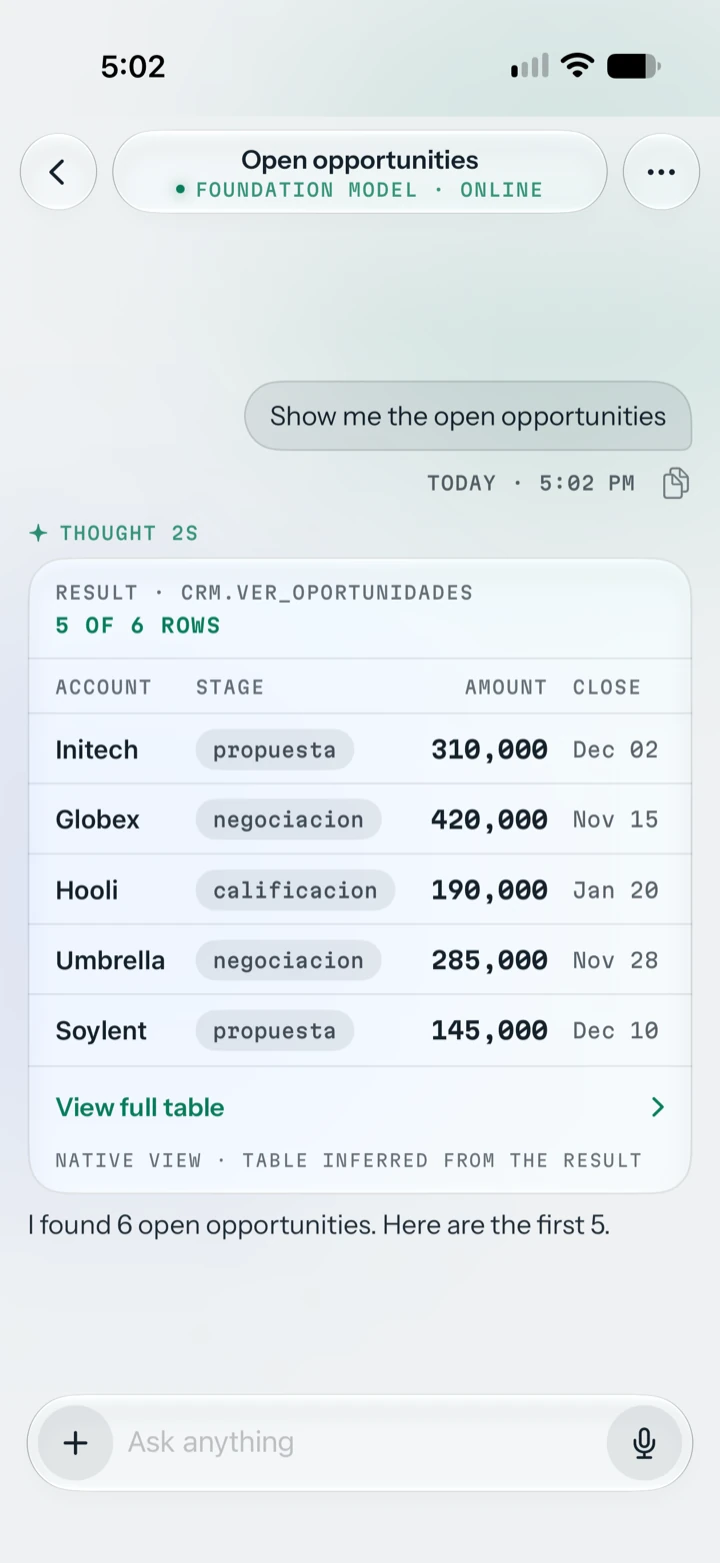
Ever needed a report and had to log in to an admin panel or some remote system from your iPhone? With Tulio you just ask. It connects to your server through MCP, the open protocol for connecting AI with your tools and data, and brings the answer back as a table you can read right in the chat, or open in full screen when it is big.
Under the hood, Tulio defines its own MIME type, application/vnd.nativeapp.table+json, so a tool can return a table that is drawn natively. Your server has to support it (plain tabular JSON also works, with less formatting). And the model never receives the whole table, only a short description of it, so a small on-device model does not run out of room.
See the Developers section to learn how to return one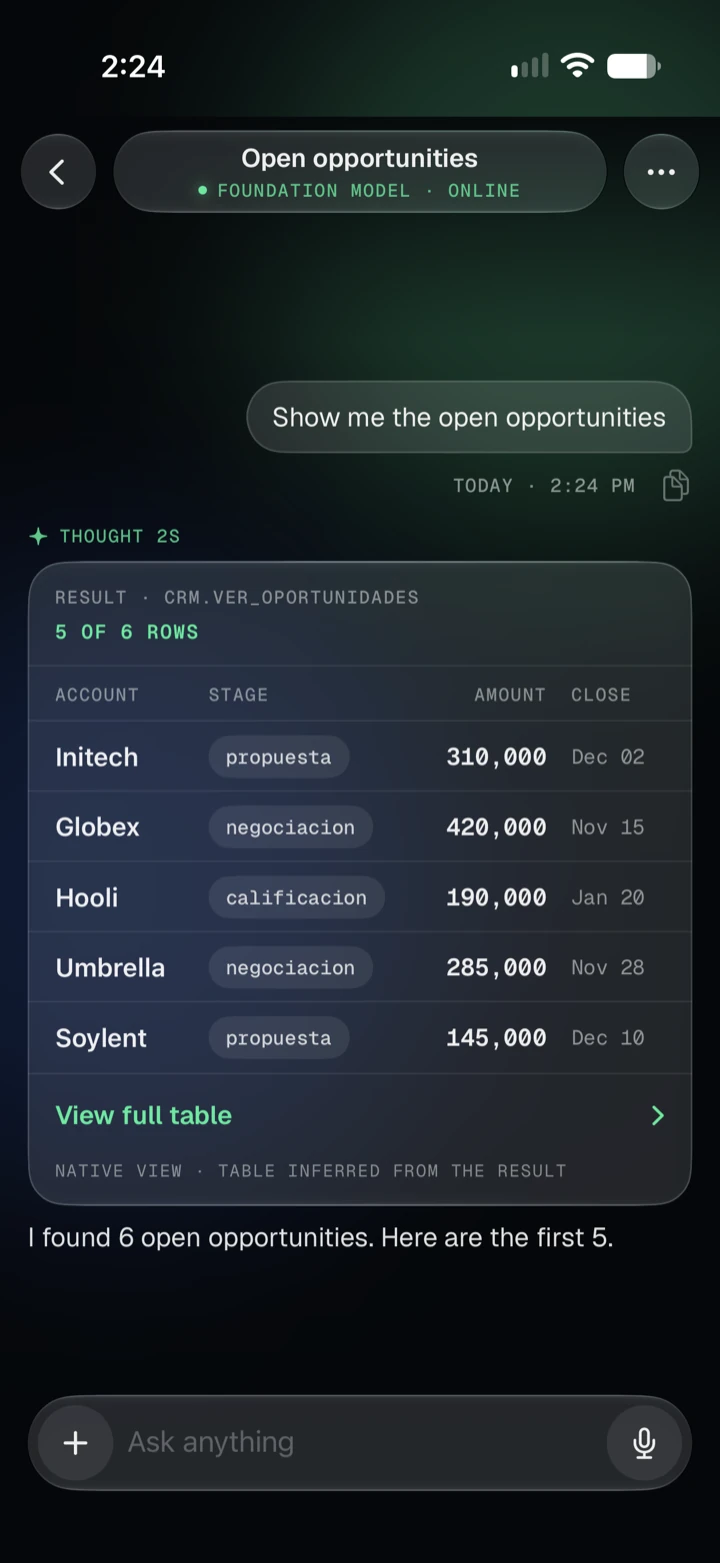
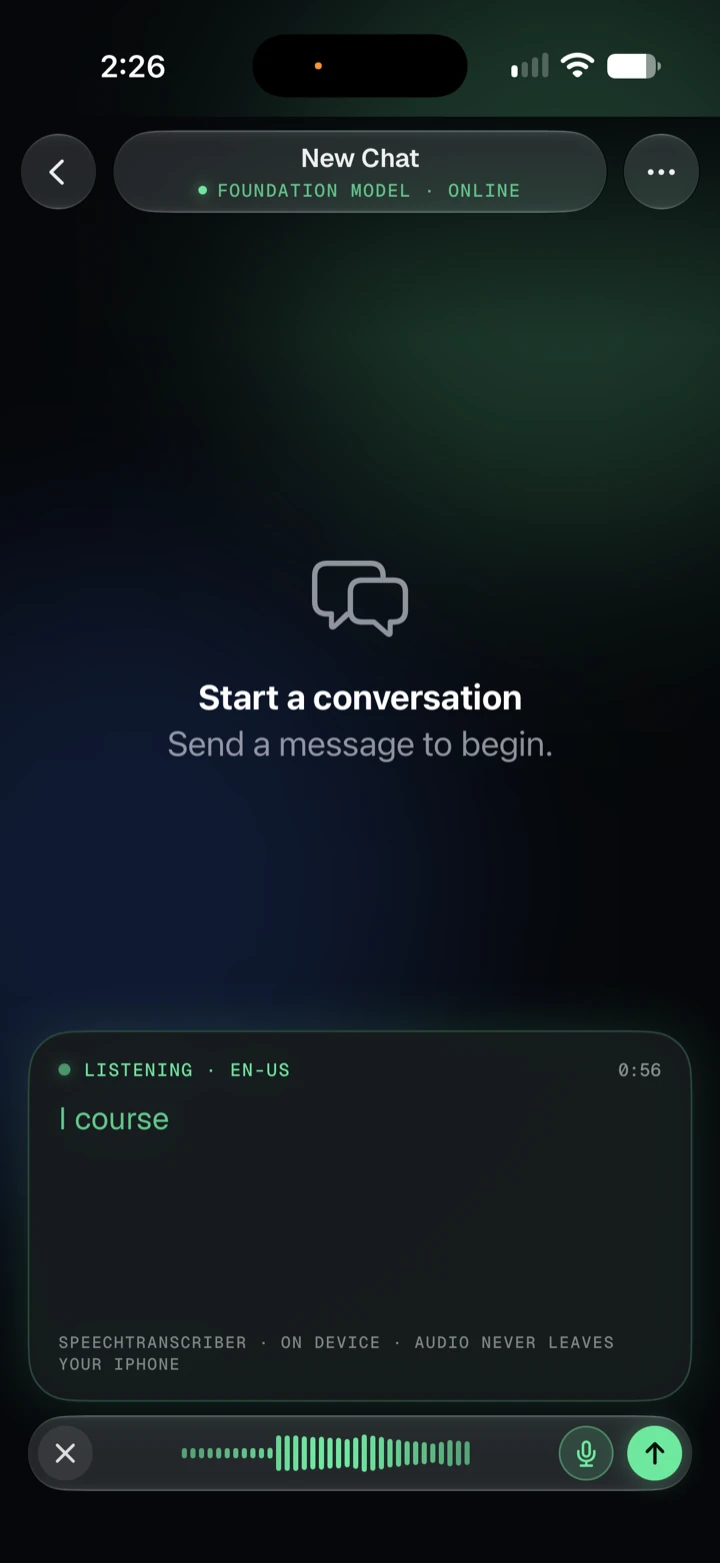
Dictate your message instead of typing.
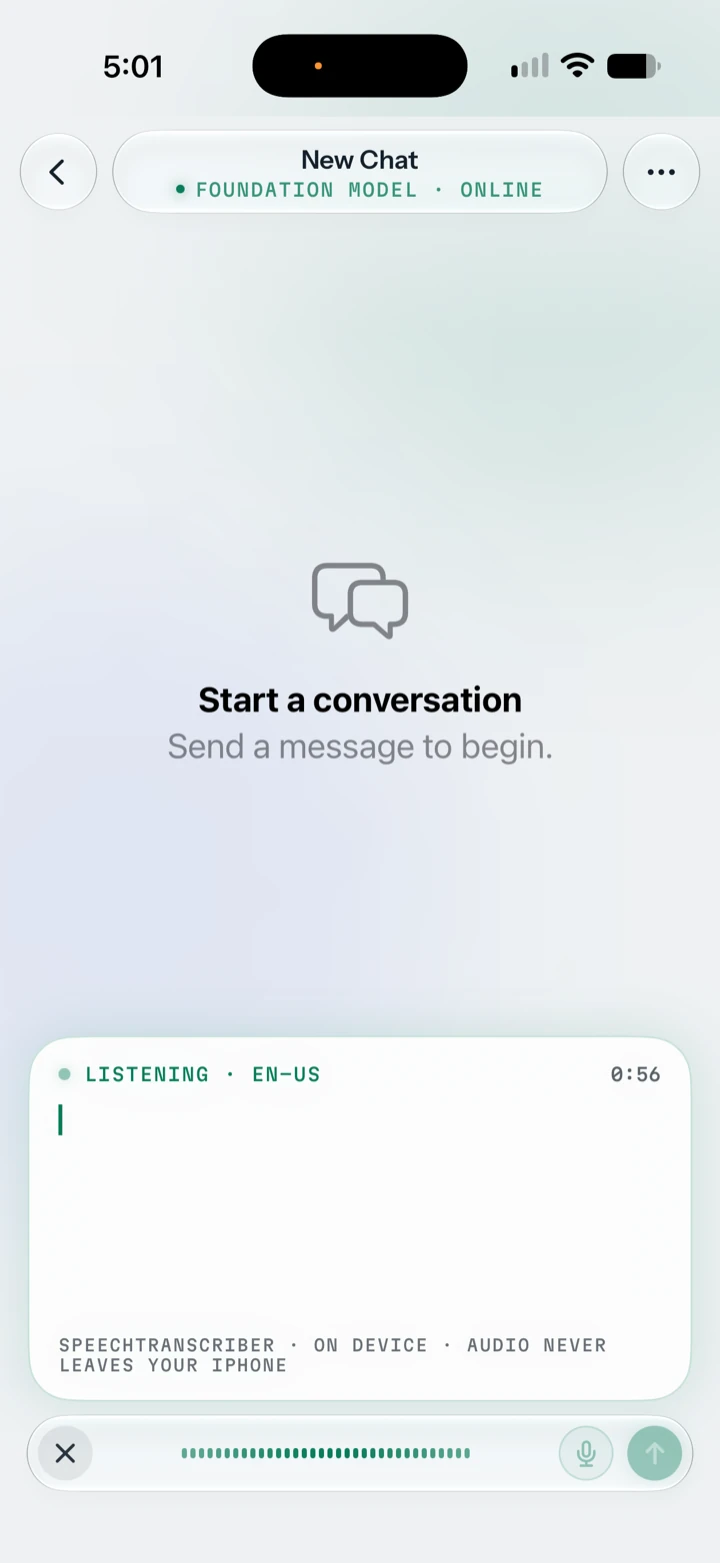
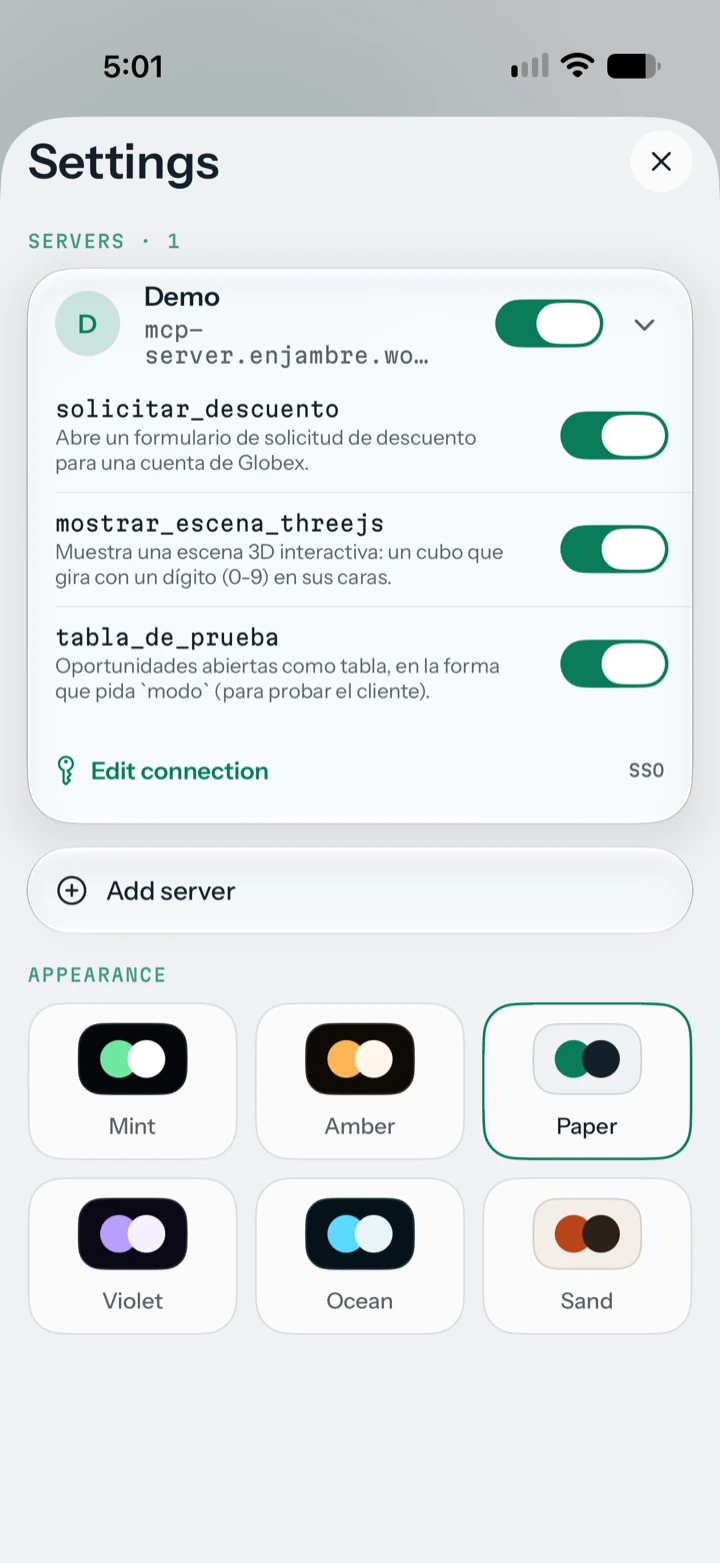
Choose between six themes. Mint, Amber, Violet and Ocean are dark; Paper and Sand are light.
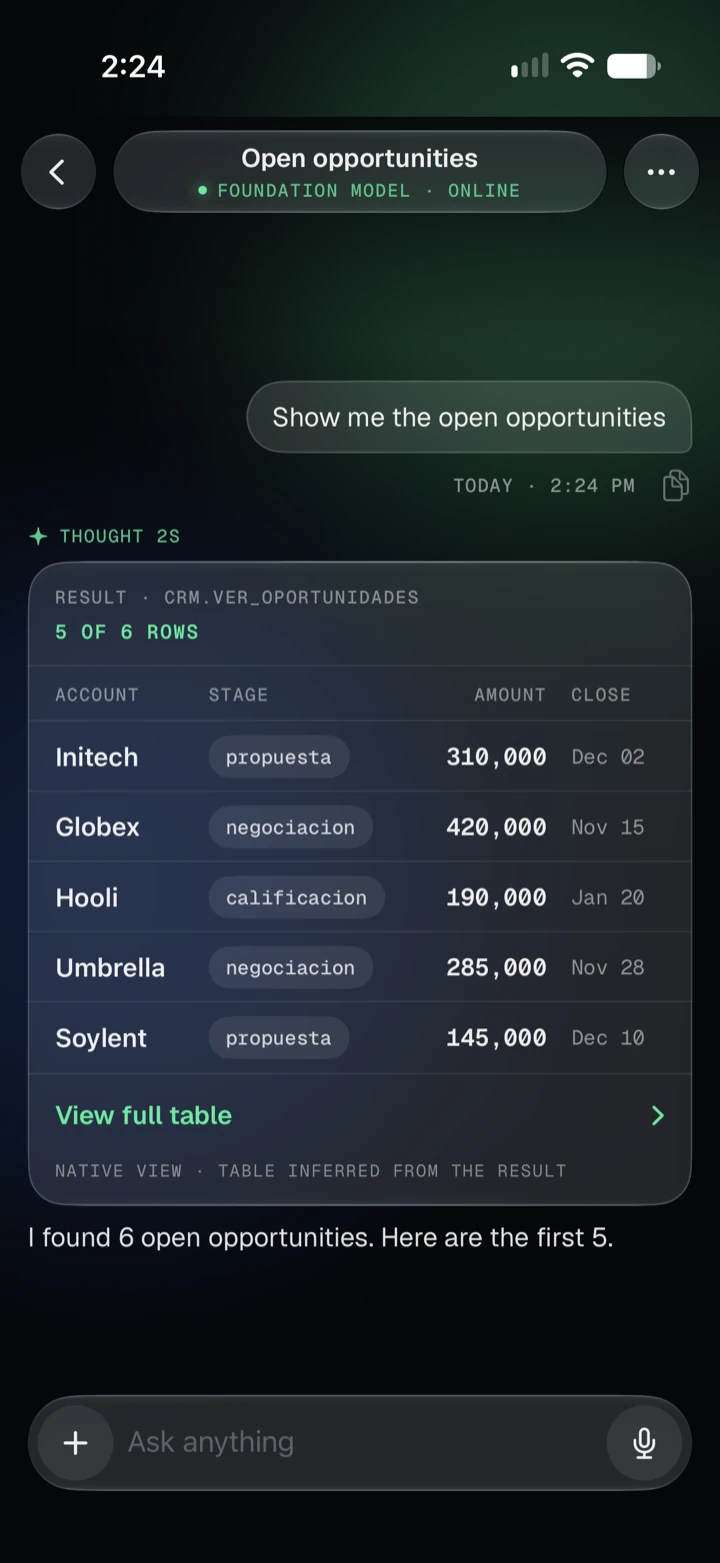
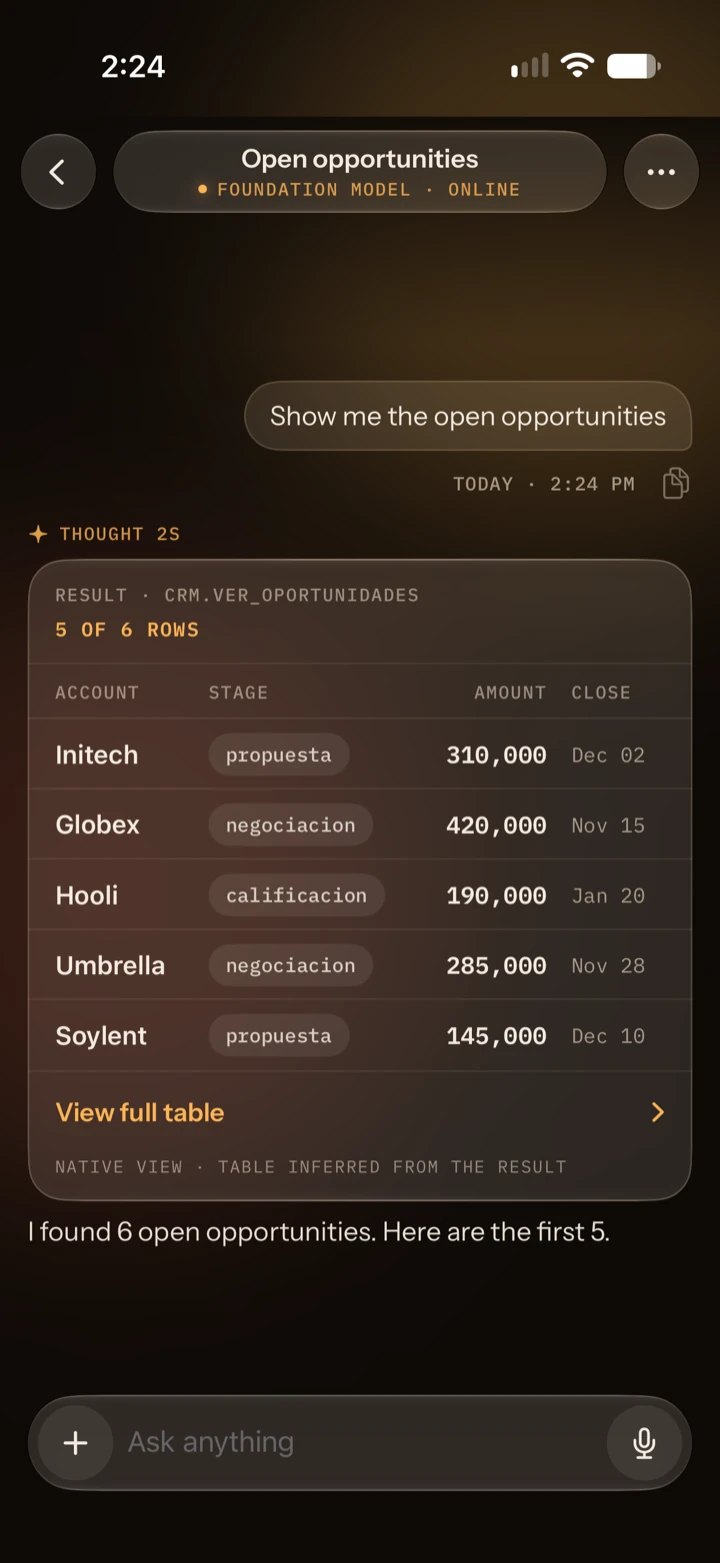
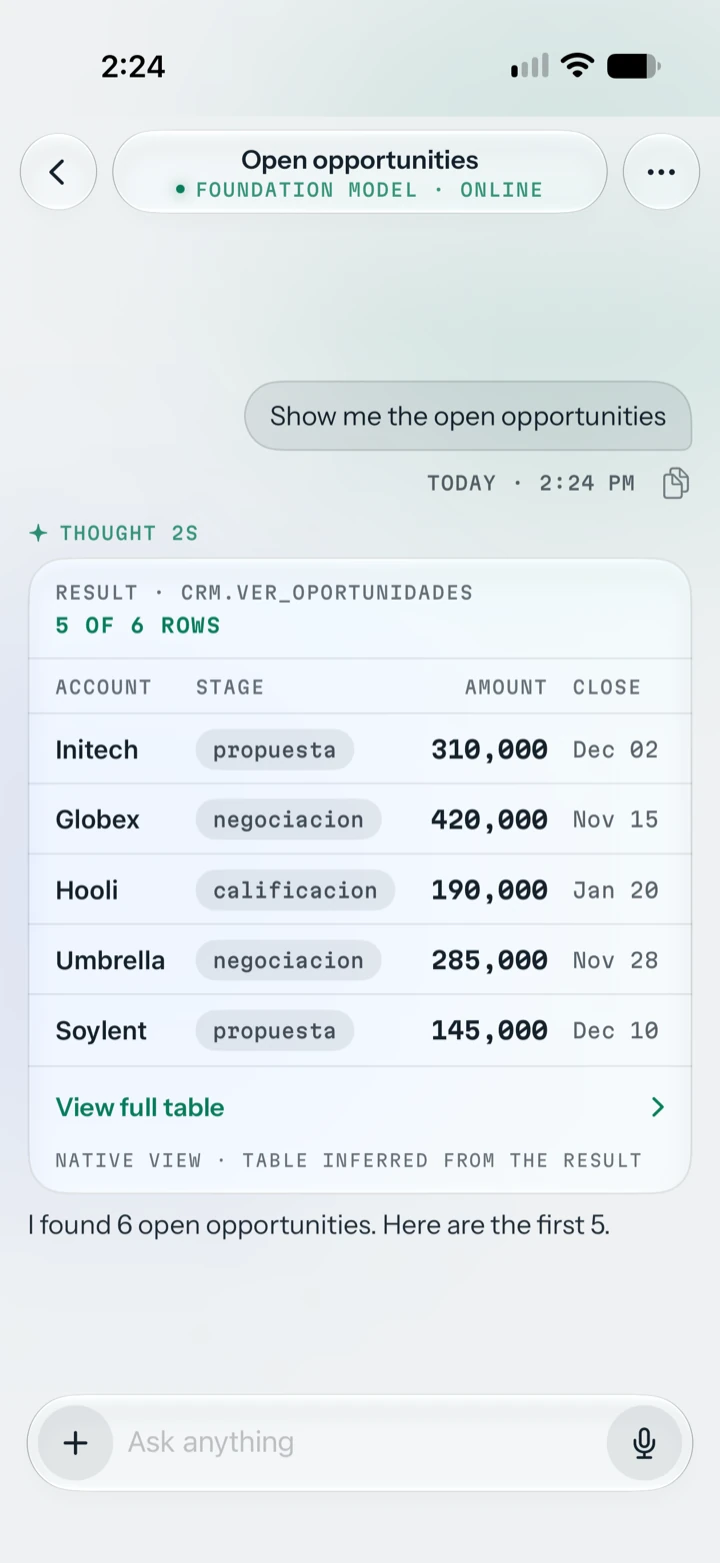
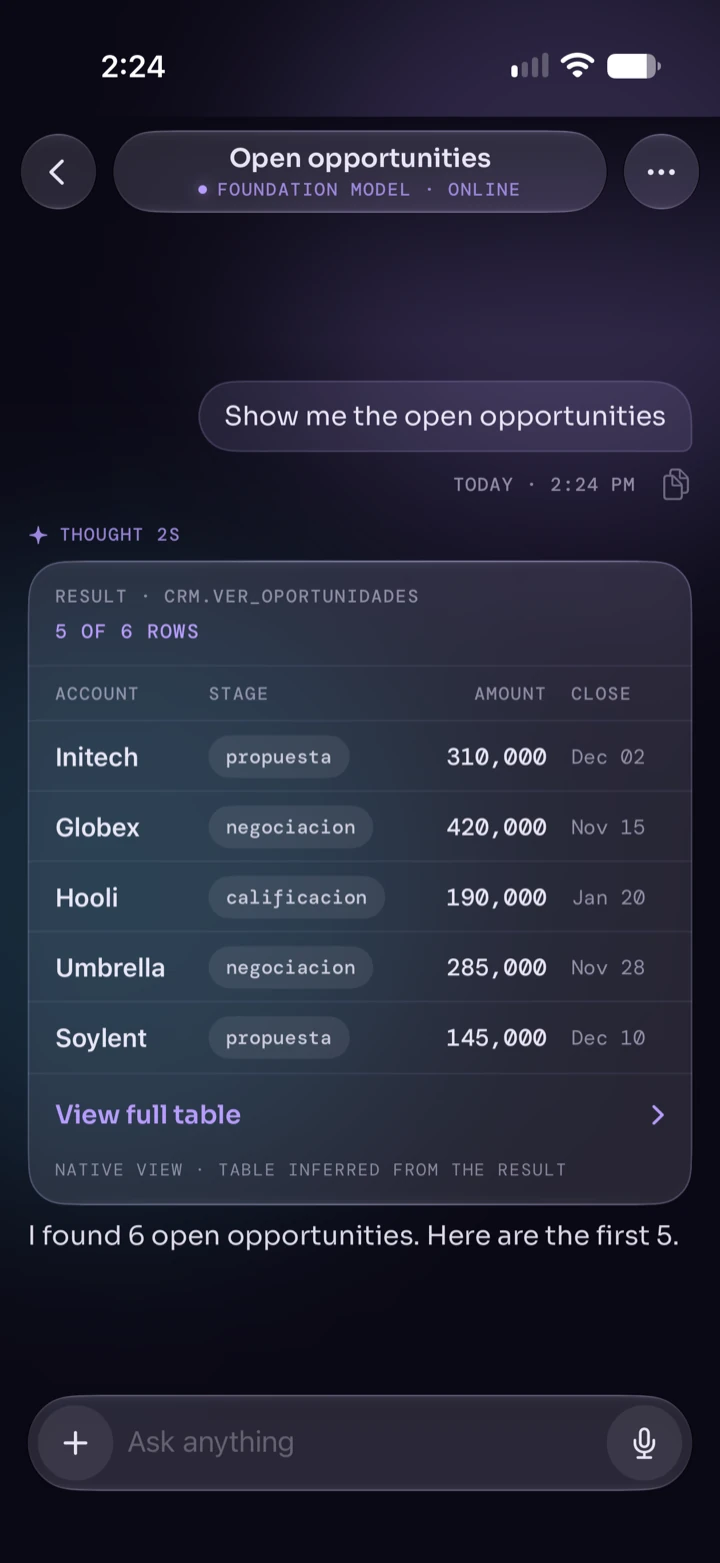
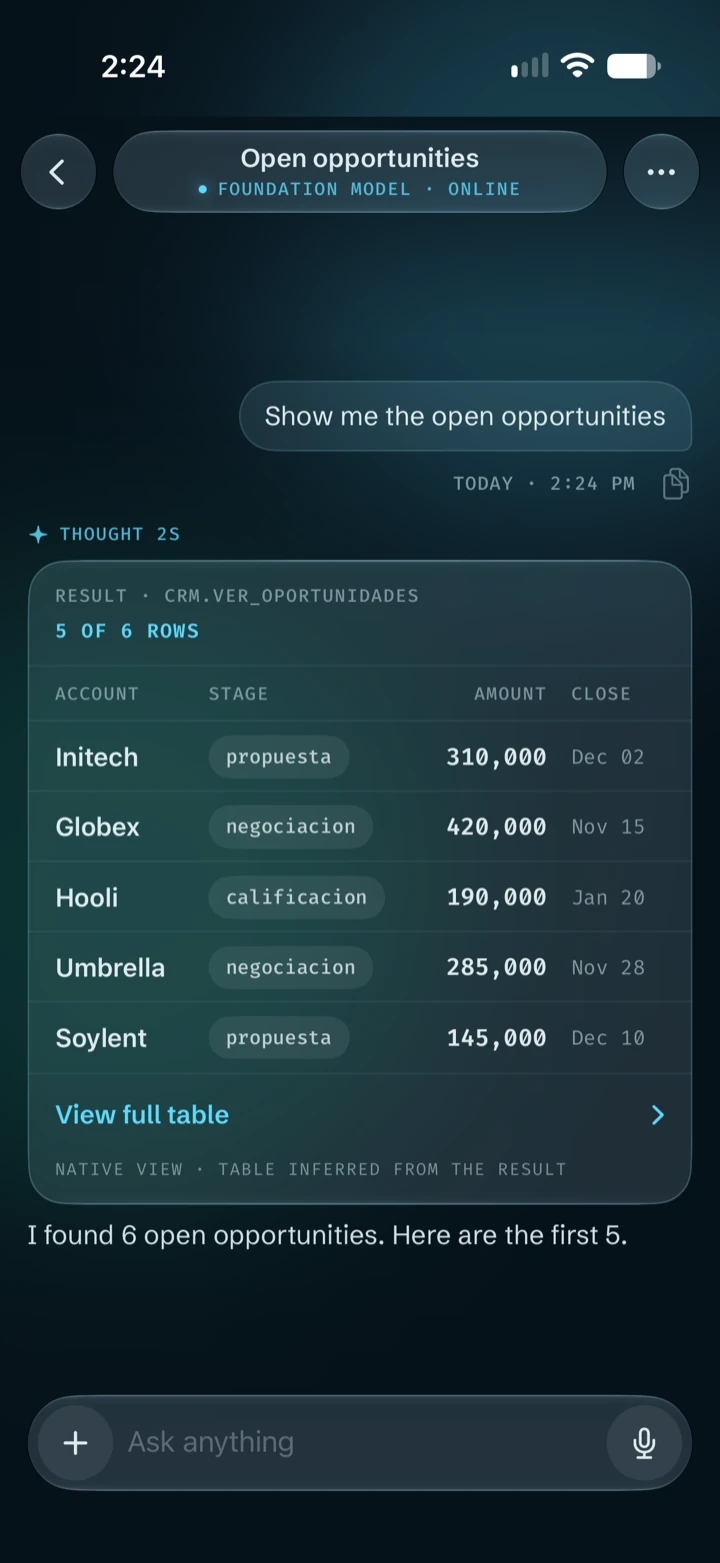
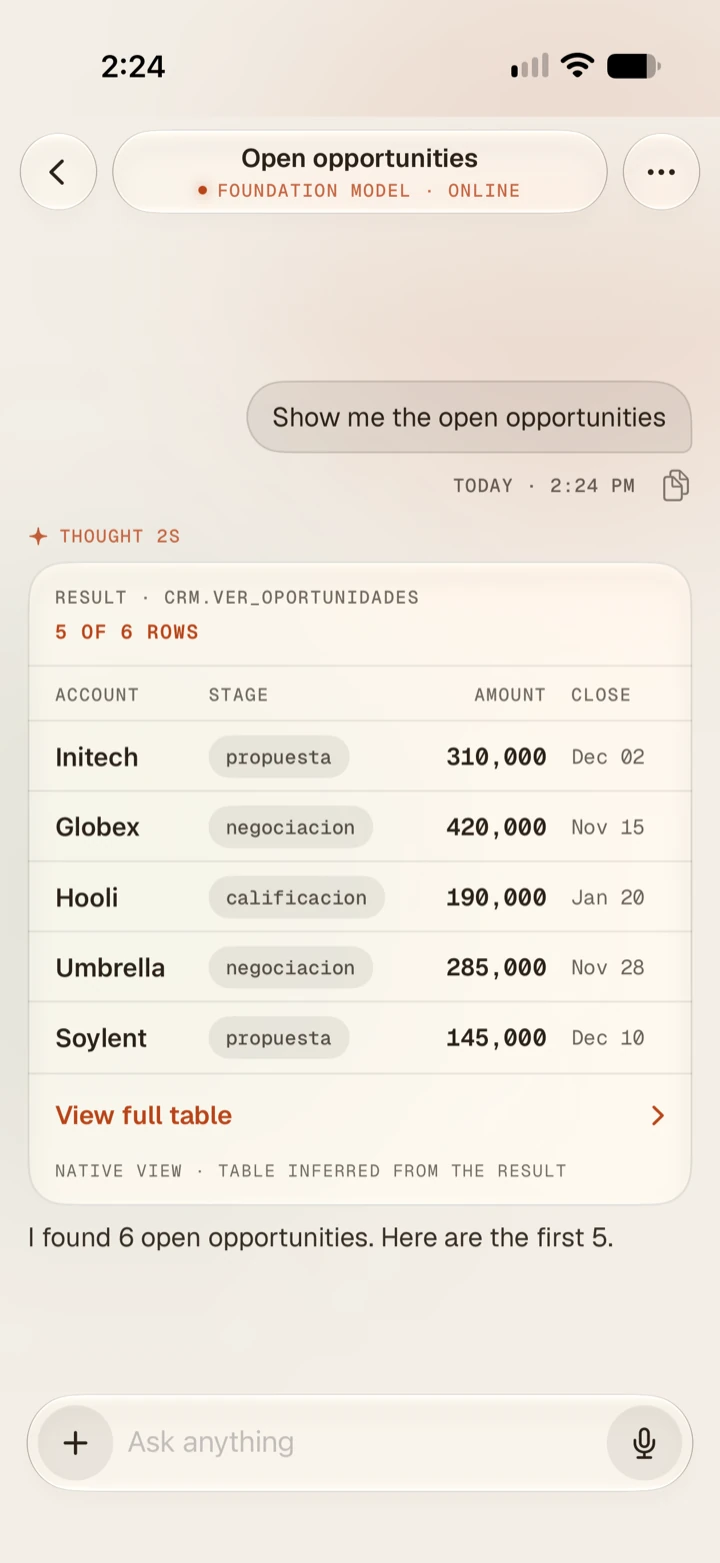
Tulio hosts MCP apps and renders tables natively. Return the right content from your FastMCP server and Tulio does the rest.
Tulio is an MCP client. The tools your server exposes are available to the model, which calls them to answer questions about your data.
MCP Apps is the new MCP extension for interactive interfaces. A tool declares a ui:// resource with a web app (HTML). Tulio fetches it, runs it in a sandboxed WebView and talks to it with JSON-RPC over postMessage. The app can call your server’s tools, receives the host theme and can ask for full screen; the domains it may reach are the ones your server declares as CSP. A host without support still gets the tool’s text result.
Read the MCP Apps overviewReturn a resource with this MIME type and Tulio shows it as a native table instead of plain text. The model does not receive the table, only a short description of it, so it does not fill its context window.
application/vnd.nativeapp.table+json A public repository with an example server built with FastMCP.
View the example on GitHub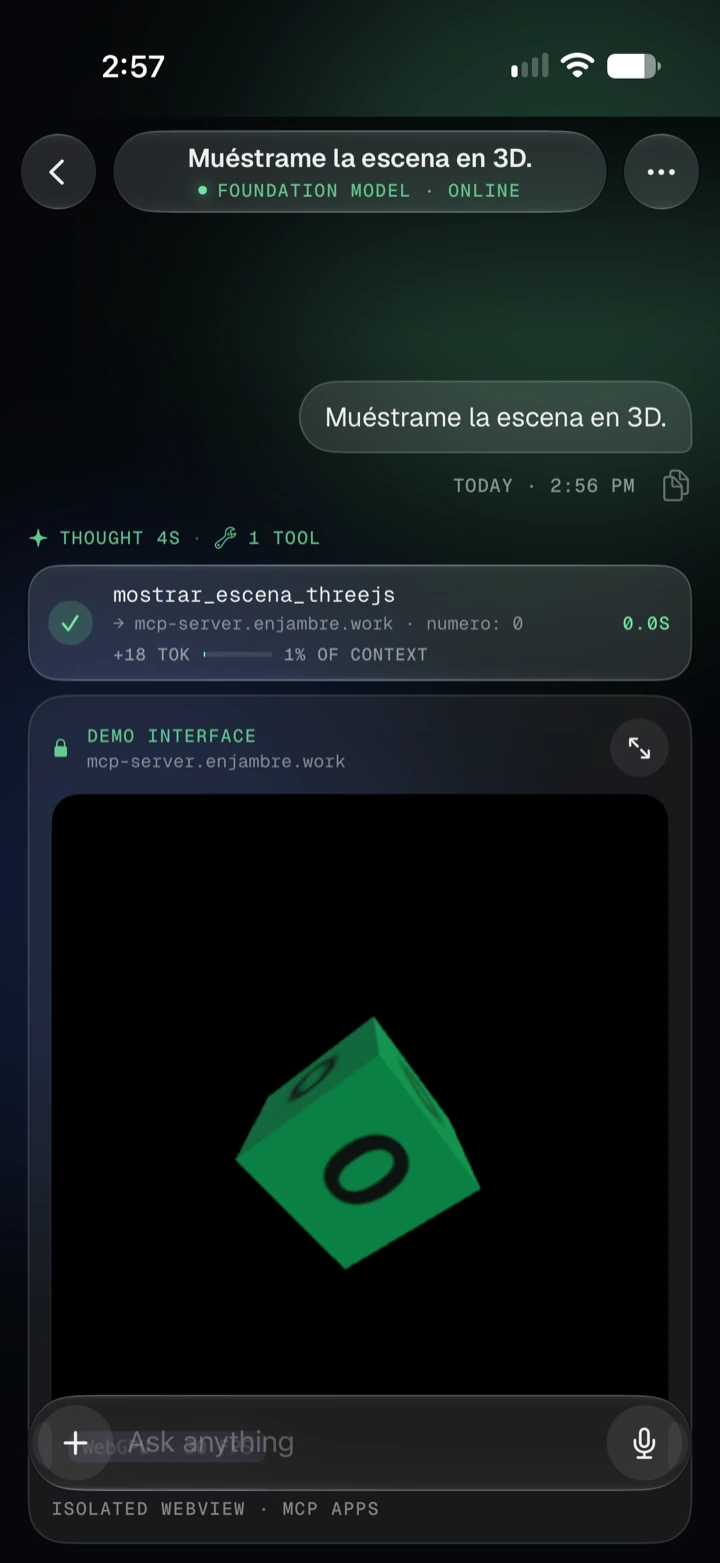
Planned releases, in order. Items can change, and no dates are committed.
Features listed under Planned are not available yet and may change before release.
Write to us and we will reply by email. Include your iPhone model and iOS version if you are reporting a problem.
[email protected]Tulio needs an iPhone that supports Apple Intelligence, running iOS 26 or later, with Apple Intelligence turned on in Settings.
Tulio holds no personal data about you on our side. For questions about privacy, see the Privacy Policy or write to the address above.
Tulio does not collect, store or share your personal data. Your conversations stay on your iPhone.
[email protected]Tulio is developed by Manuel Martinez (“we”). You can reach us at [email protected].
None. Tulio has no accounts, no analytics, no advertising and no tracking. We do not receive your conversations, settings or device identifiers.
Your chats, pinned items and settings are stored on your iPhone, inside the app. Apple’s data protection applies to them. If you back up your iPhone, iOS may include the app’s data in that backup, according to your own settings.
Replies are generated by Apple’s Foundation Models on your device. Apple’s own terms and privacy information apply to Apple Intelligence.
Tulio can connect to MCP servers, for example one provided by your employer. This is optional and only happens when you set it up.
If you use voice input, Tulio asks for microphone and speech recognition access. You can turn this off in iOS Settings at any time. Tulio does not keep audio recordings.
Tulio is not directed to children under 13. Because we collect no data, we hold no information about any user.
Delete a chat in the app to remove it. Deleting the app removes all of its data from your device. There are no accounts, so there is nothing to delete on our side.
If our practices change, we will update this page and the date above before the change takes effect.
Questions about this policy: [email protected].
By using Tulio you agree to these terms. If you do not agree, do not use the app.
[email protected]Tulio is licensed to you for personal use on Apple devices you own or control, under Apple’s standard Licensed Application End User License Agreement. If these terms conflict with that agreement, Apple’s agreement prevails for matters it covers.
Replies come from an AI model and can be wrong, incomplete or out of date. Check important information before you rely on it. Do not use Tulio as the only source for medical, legal or financial decisions.
When you connect an MCP server, you decide which tools it can use. You are responsible for the servers you connect, for having the right to use them, and for what the tools do. We are not responsible for third-party servers or their content.
Tulio is provided “as is” without warranties of any kind, to the extent the law permits.
To the extent the law permits, we are not liable for indirect or consequential damages arising from your use of Tulio. Nothing here limits rights you have under mandatory consumer law.
We may update these terms. The date above shows the latest version. Continued use after an update means you accept it.
Questions about these terms: [email protected].
Facts, icon and screenshots for articles and reviews.
Tulio is an iPhone app for talking to your data through MCP tools. It uses Apple’s on-device Foundation Models to interpret requests and call tools on the servers you connect.
Use the icon as provided. Do not recolor or add effects. The App Store name and badge belong to Apple Inc.